New User Account Management Screen
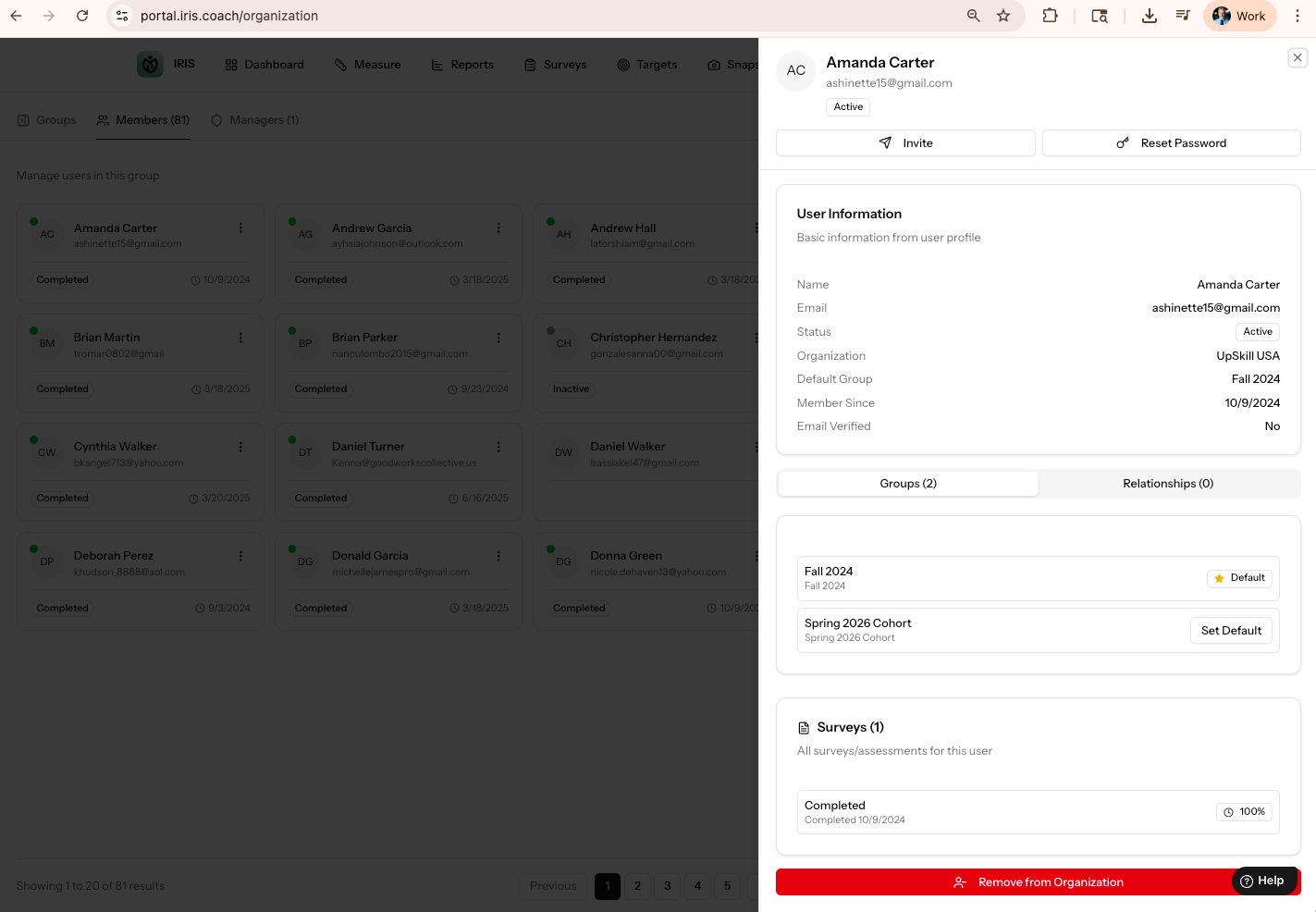
You now have a single place to see every user setting, survey status and user account configuration data for a user. Just follow the steps below.
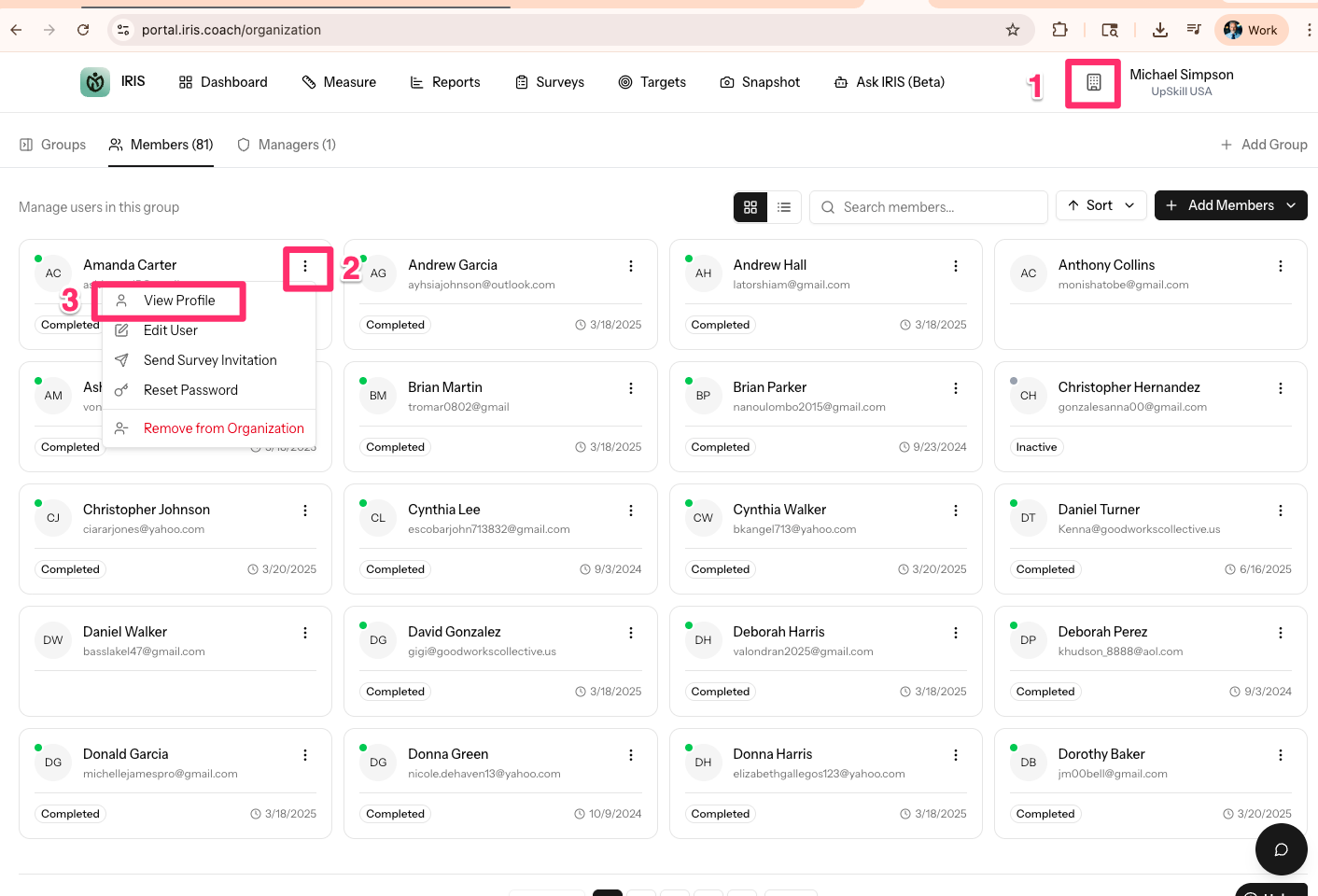
- Click the Building icon next to your name
- Click the ellipse (three dots) next to the user you want to view
- Click View Profile
- Enjoy the new screen!
Was this article helpful?
That’s Great!
Thank you for your feedback
Sorry! We couldn't be helpful
Thank you for your feedback
Feedback sent
We appreciate your effort and will try to fix the article