This update adds a new Manager role, improves report management for larger organizations, adds cascading rights for Group Managers to reduce redundant setup tasks, and improvements to reporting.
New & Improved
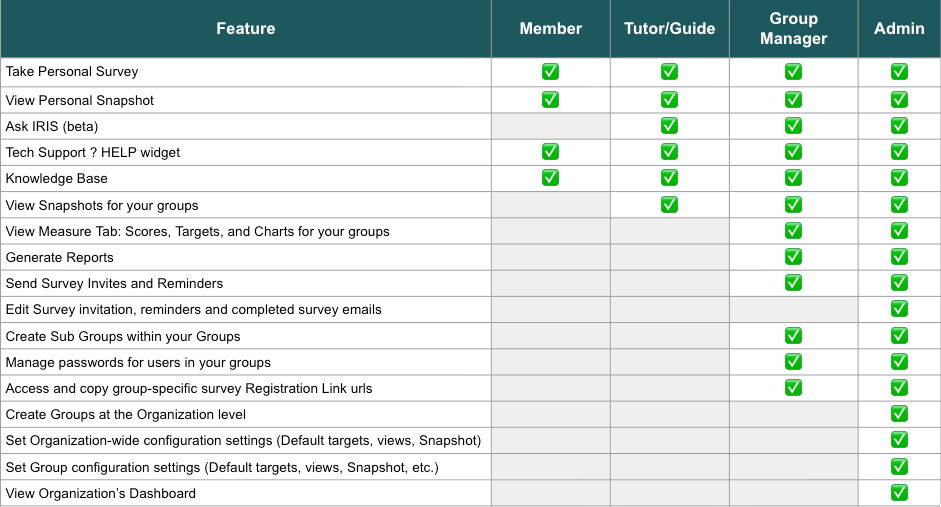
- New Manager role added: The following roles are now available. Group managers can do anything that Admins can do, except they do not have the Admin Dashboard, cannot set organization or group-wide defaults (email templates, views, targets), and can only view and manager users within the groups they are given rights to manage.
- The Top Qualities Report was renamed to IRIS Strengths Profile.
- Report Loading icon added: You are now notified on the screen when your report is ready to view and download.
- Curiosity subscale updated
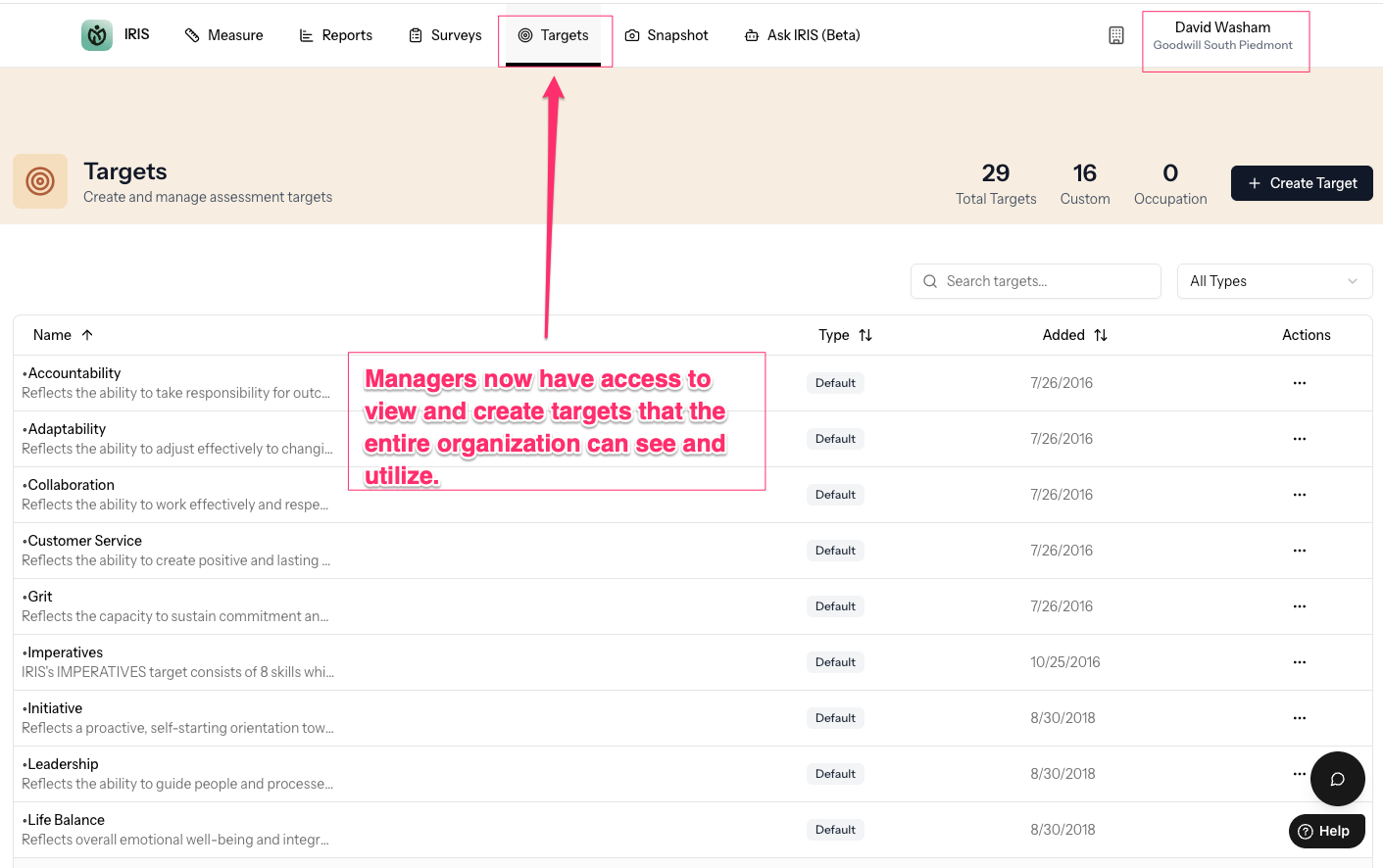
- Group Managers now have access to Targets
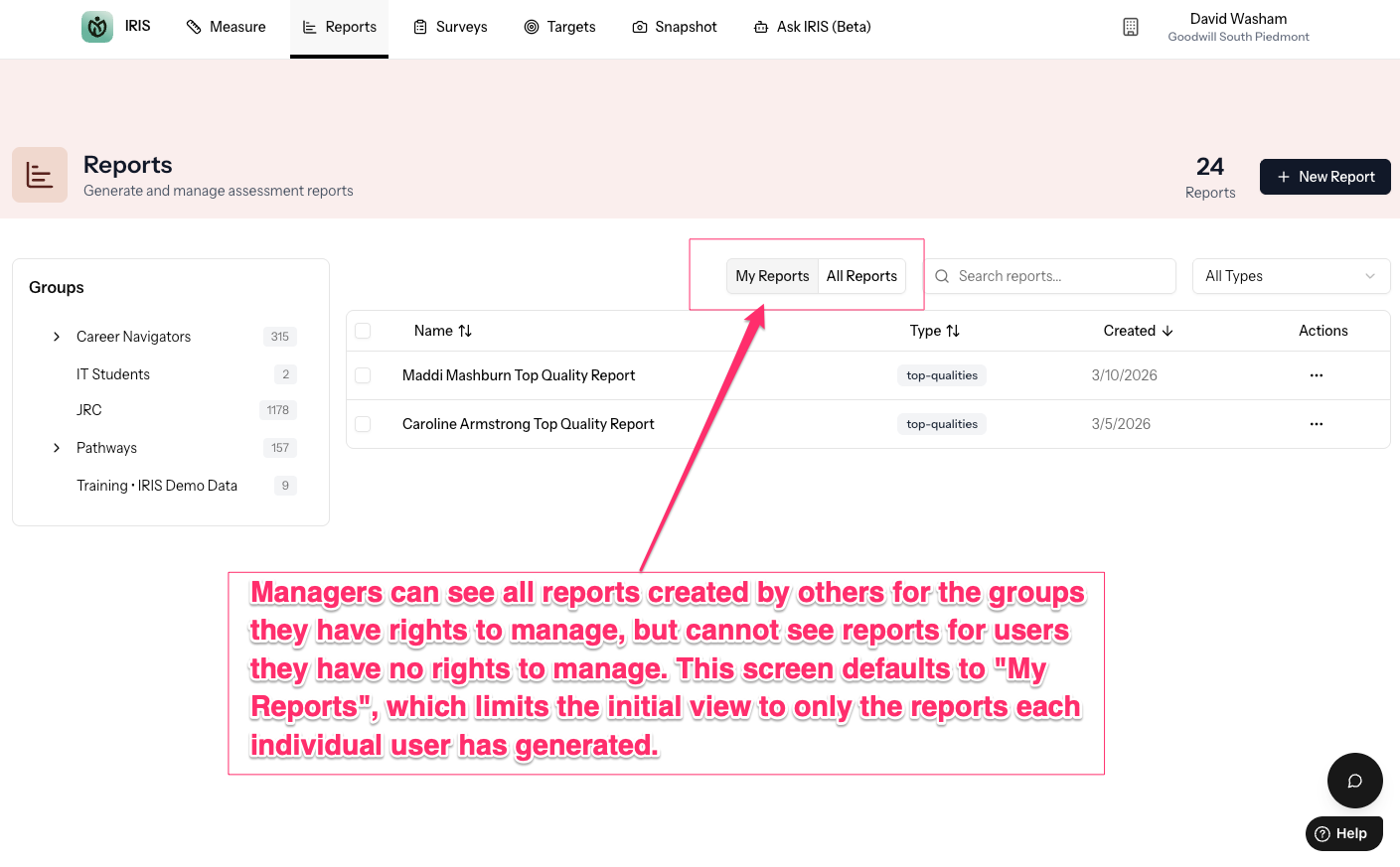
- My Reports section added, so you can prioritize only seeing the reports you've personally created
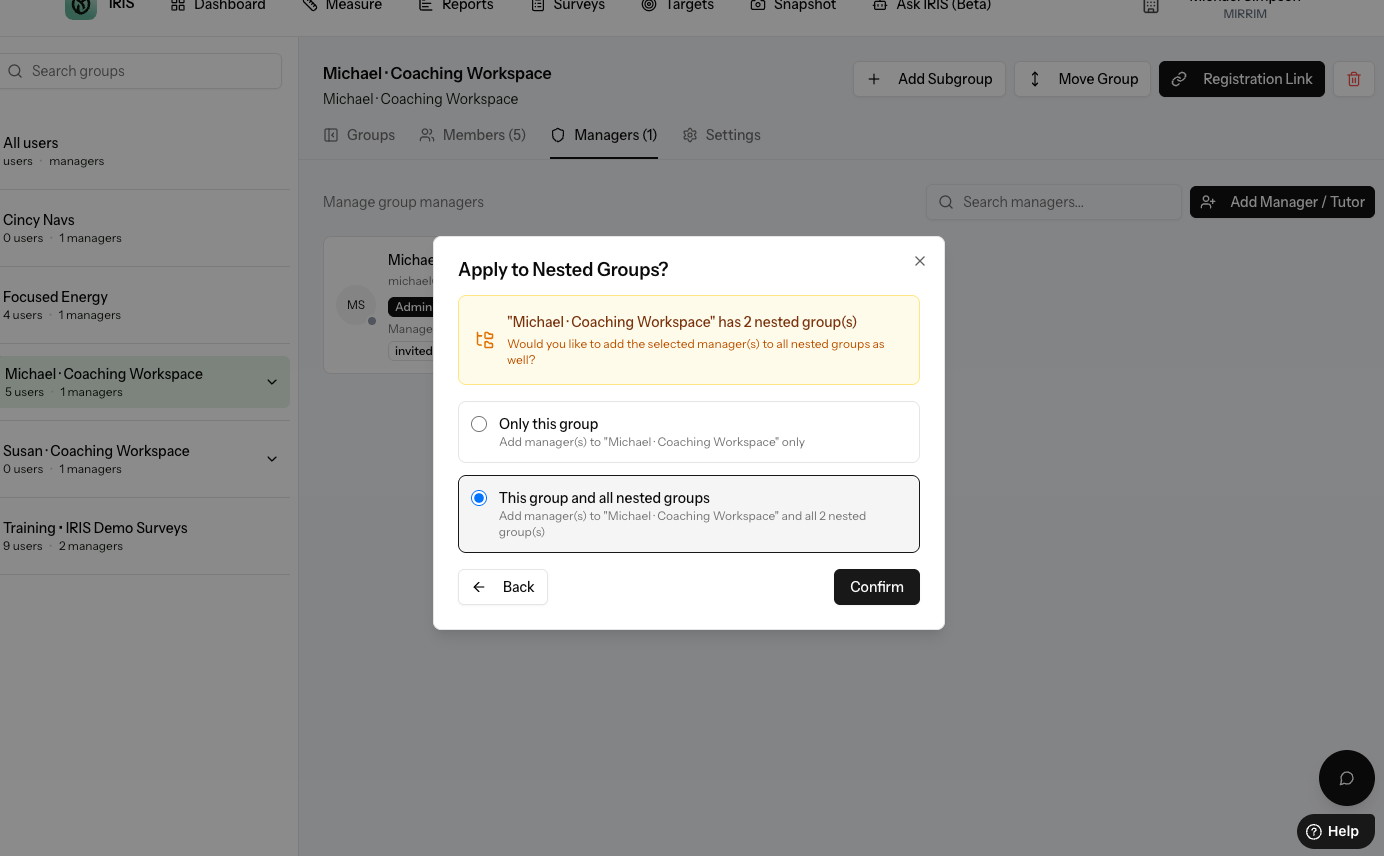
- You can now bulk add managers to groups and have those rights cascade to subgroups if you so desire.
- Access knowledge base was added. This is where you find updates like this and also educational videos and knowledge base articles
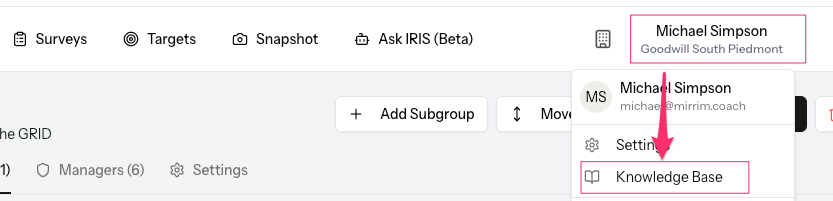
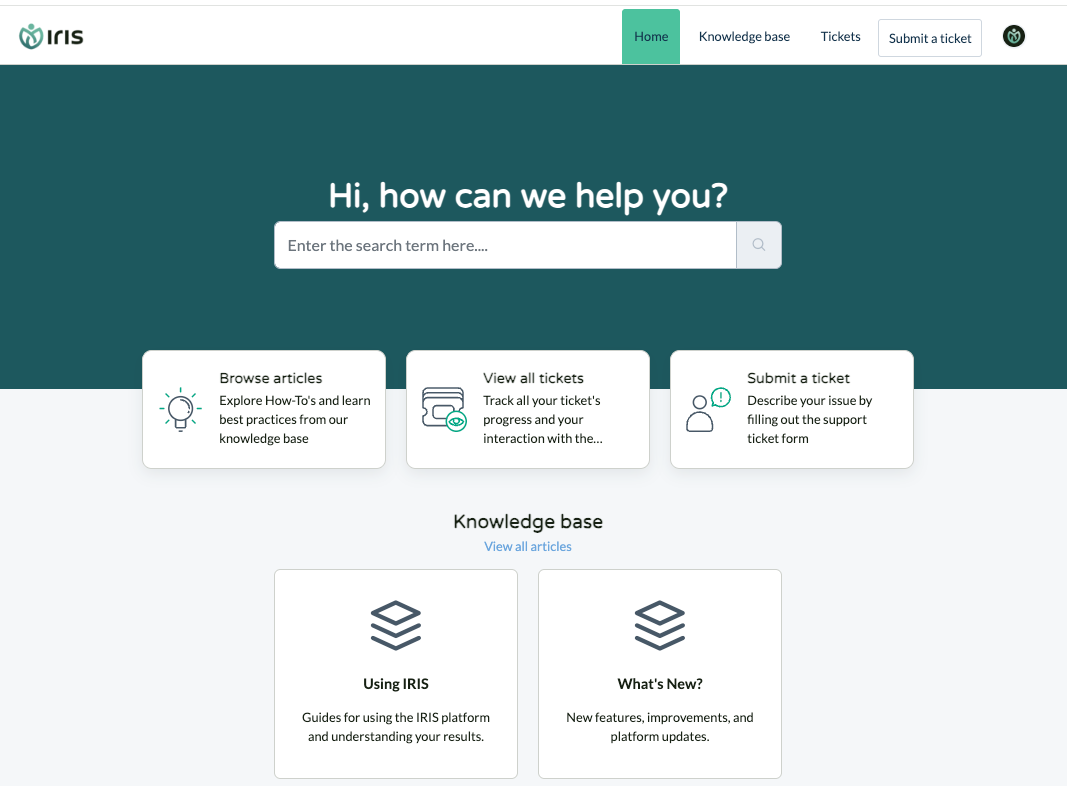
It takes you here:
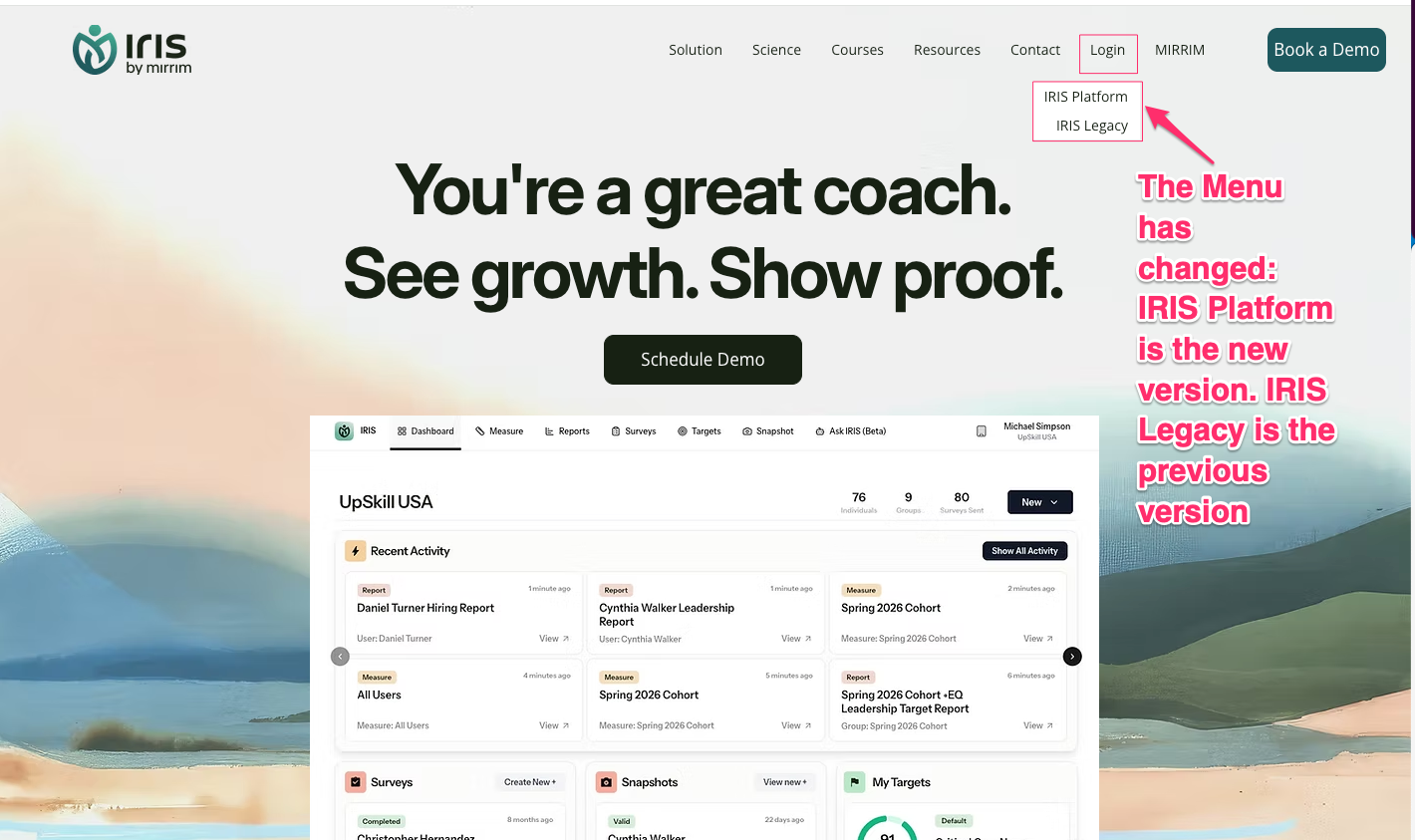
- LOGIN menu was renamed. IRIS Platform now takes you to IRIS v3.0. IRIS Legacy now takes you to the older version that will be archived this month.
Bug Fixes
- Strengths Report: Spurious characters were removed and font size was increased for easier viewing.
- Group management: Resolved an issue that prevented rights from cascading down to additional groups. Now, you can set rights at any level for Group Managers and you will be asked if you want them to also have rights to the levels below.
- Improved search in groups: Now only the groups you search for will be shown, not the level where they exist.
- Group Managers can be deleted and multiple users can be deleted in bulk
What This Means for You
- It is much easier to manage groups, control access to data based on location or role, and you can learn more and get support with ease.
Was this article helpful?
That’s Great!
Thank you for your feedback
Sorry! We couldn't be helpful
Thank you for your feedback
Feedback sent
We appreciate your effort and will try to fix the article